MTR AI virtual travel assistant
MTR AI virtual travel assistant
my role :
ux design / ui design
timeline :
2025 - present
background
MTR, heralded as the world's most advanced mass-transit operator, serves over 4 million daily travelers in Hong Kong. The network faces peak-time surges, especially at border and tourist stations, while station staff availability is limited. Many travelers cannot quickly resolve common questions on their own, creating queues and burdening limited station staff.
objective
Create a seamless self‑service journey that lets passengers independently resolve common MTR station needs while surfacing contextual travel suggestions, reinforcing Hong Kong’s image as an efficient, welcoming, and tech-forward city
meet our target users
context
Border stations and tourist hotspots, time-pressured environments.
audiences
Travelers/visitors and Hong Kong residents (everyday commuters).
profile
Digitally familiar (smartphone users) comfortable with common digital patterns, teenagers to middle-aged.
needs
Fast resolution, clear journey , bilingual UI, obvious recovery
our insights from the interviews reveal what our users need...
usable for target audience
Familiar patterns, large tap zones, consistent layout.
error-proof
Specific, local errors with Retry/Alternate/Contact Staff.
guided & clear
Labeled steps, always show what’s next.
fast & intuitive
One action per screen, minimal choices, clear primary CTA.
high completion
Visible progress, micro-feedback, visual affordance.
inclusive
Easy language, bilingual, assistive modes, clear lead action words in copy.
benchmarkingRaised a few questions that turned into 3 pillars for considering the user experience
utility
•Distance, what do users see close by and far away.
•What would idle states look like?
•Do I understand kiosk intend before interacting with it?
Immersion
•Human communication standards
•How would you approach a person, or a person approach you?
•How can we fill or eliminate pauses in engagement (assistant<>UI)
Information presentation
•When do we show UI, how can we let this interact with assistant?
benchmarking highlightTo create a conversational kiosk, we need to mimic human communication.
eye contact
Maintaining eye contact during a conversation signals interest and focus.
mirroring behavior
Subconsciously mimicking another's behaviour to build rapport.
proximity
If you approach a person to start a conversation, they will open up and change body language.
active listening
Involves nodding, paraphrasing, and asking questions to show engagement.
gestures and hand movement
Pointing can direct attention, while open palms can indicate honesty.
facial expressions
smile can indicate approval or happiness, while a frown may signify disapproval or sadness.
our solutionintroducing Tracy, virtual travel assistant
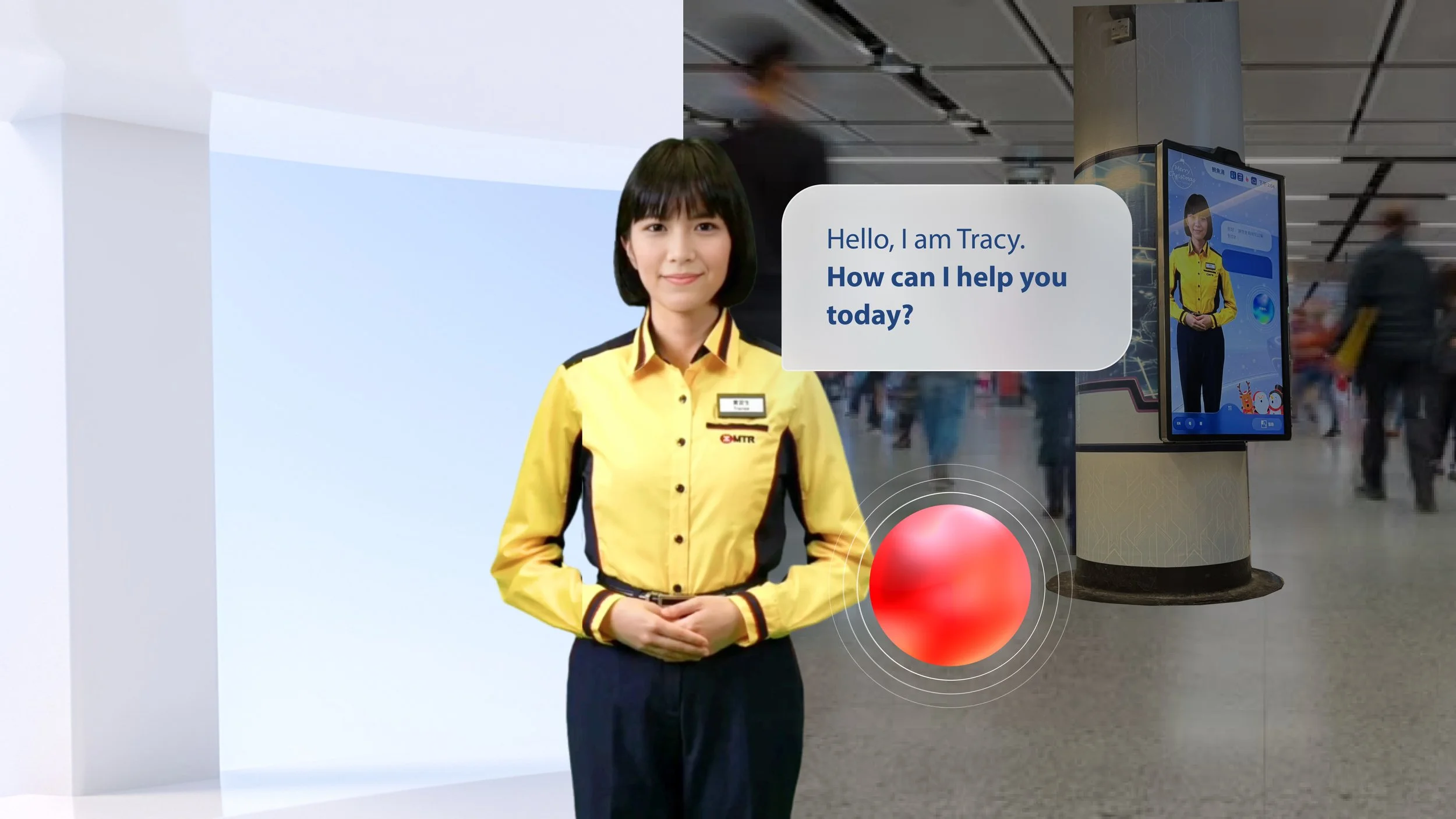
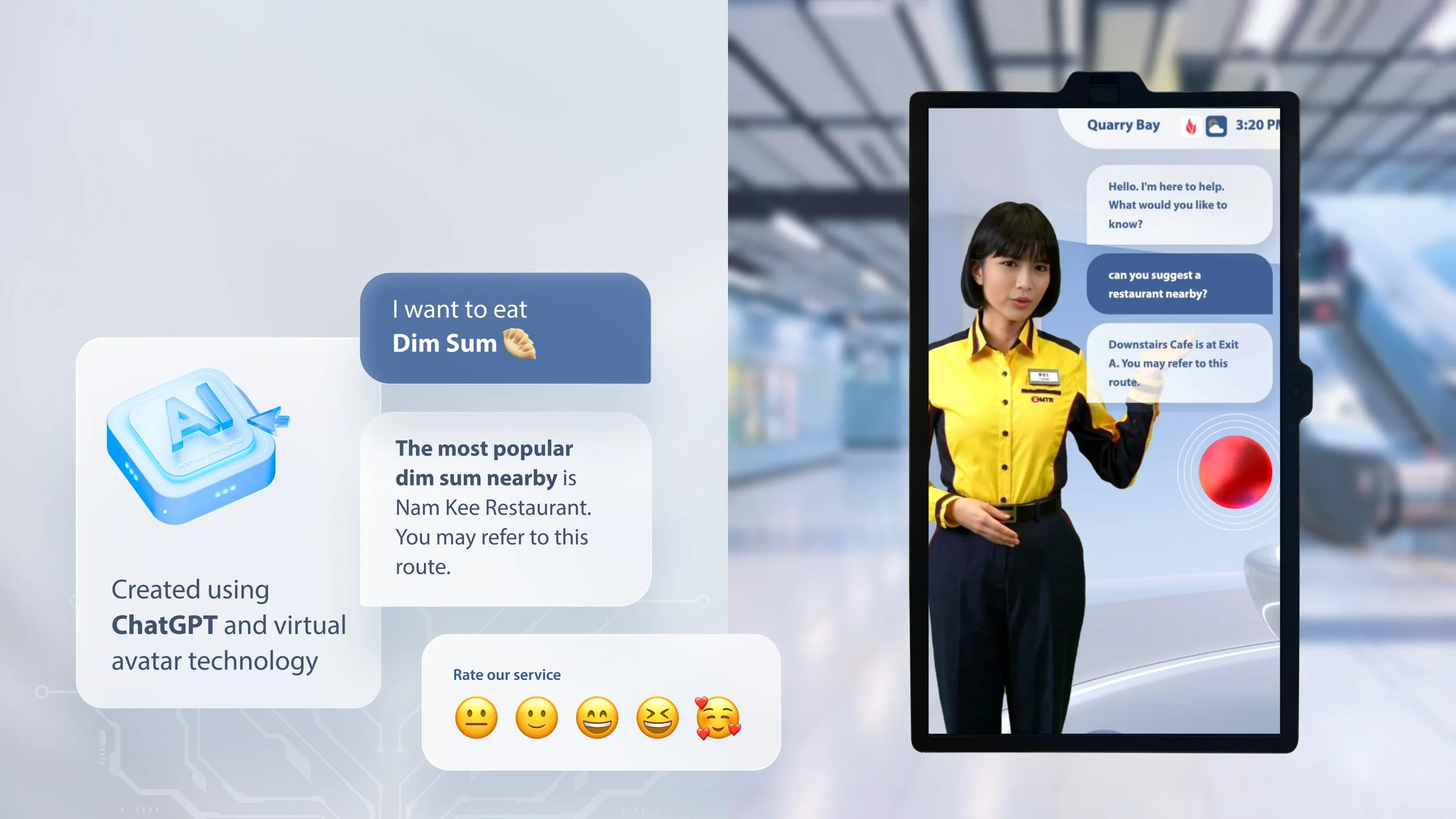
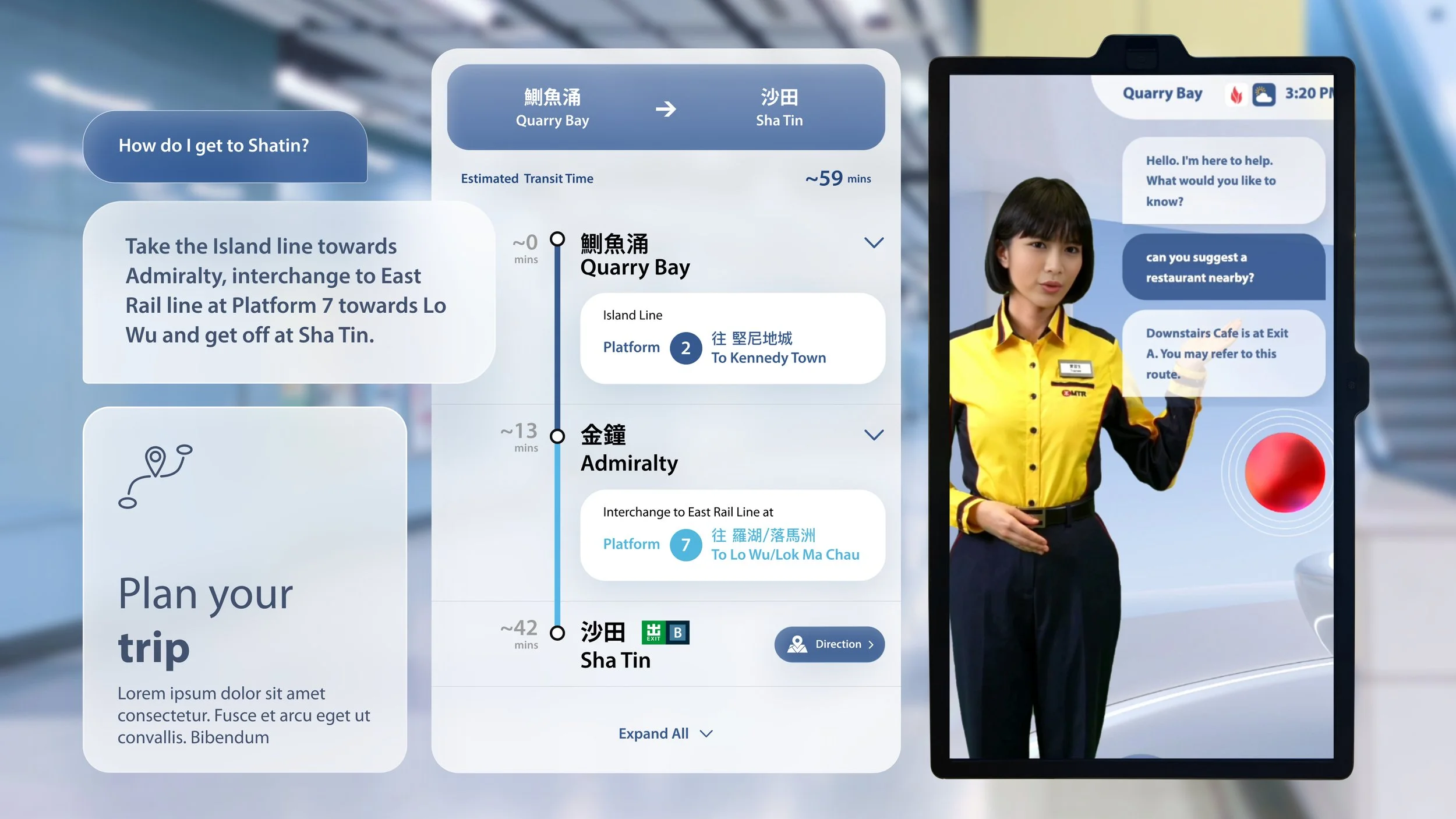
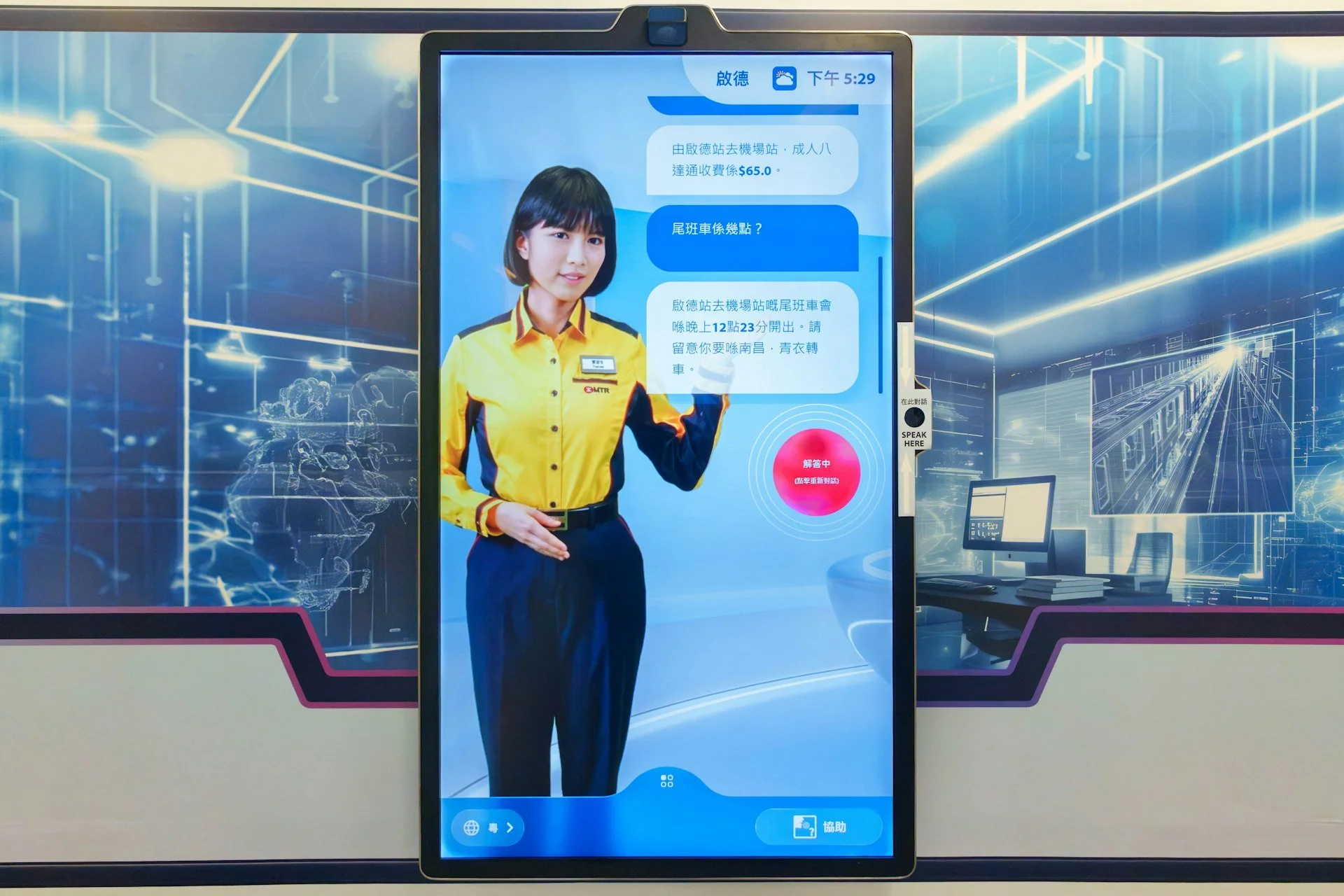
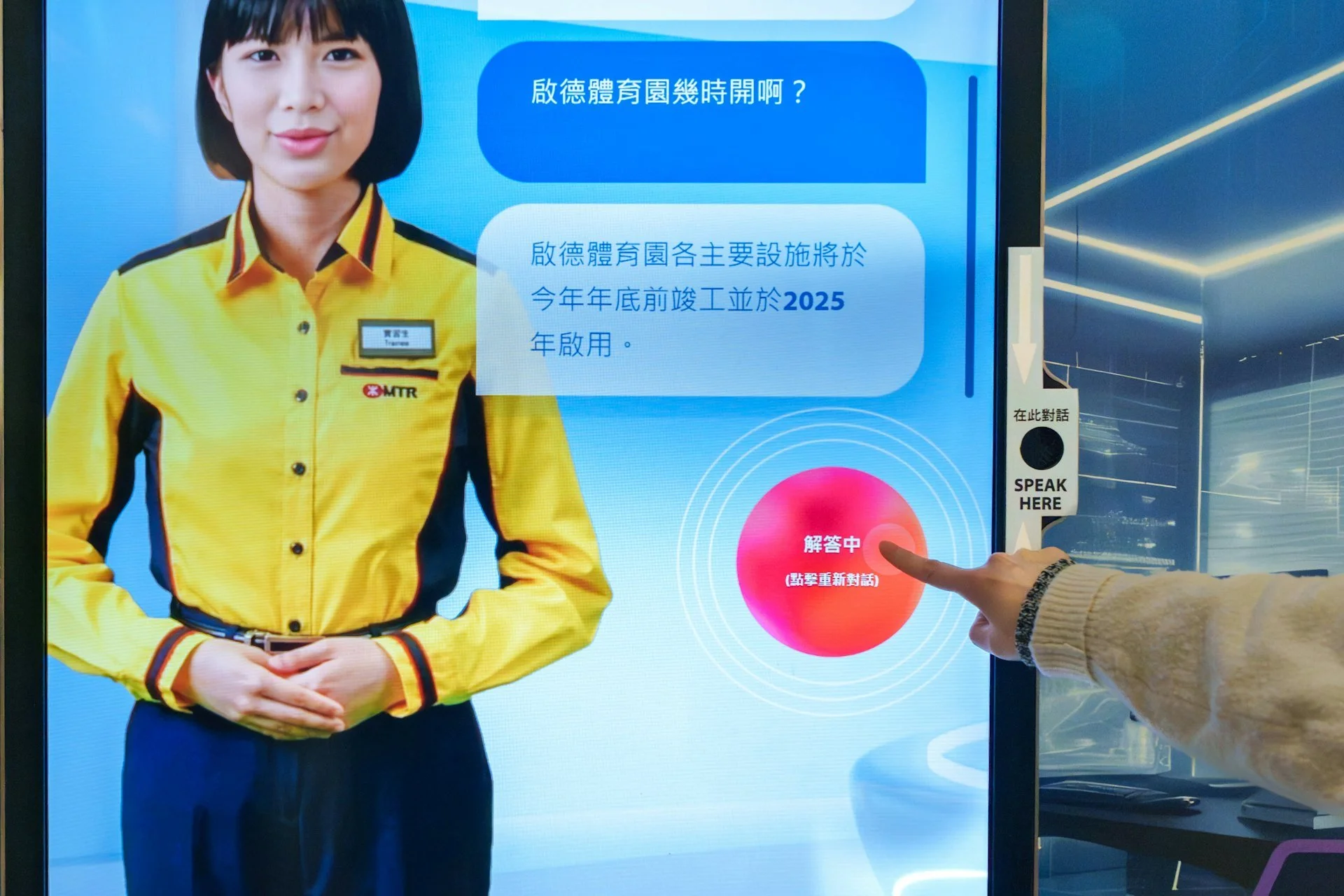
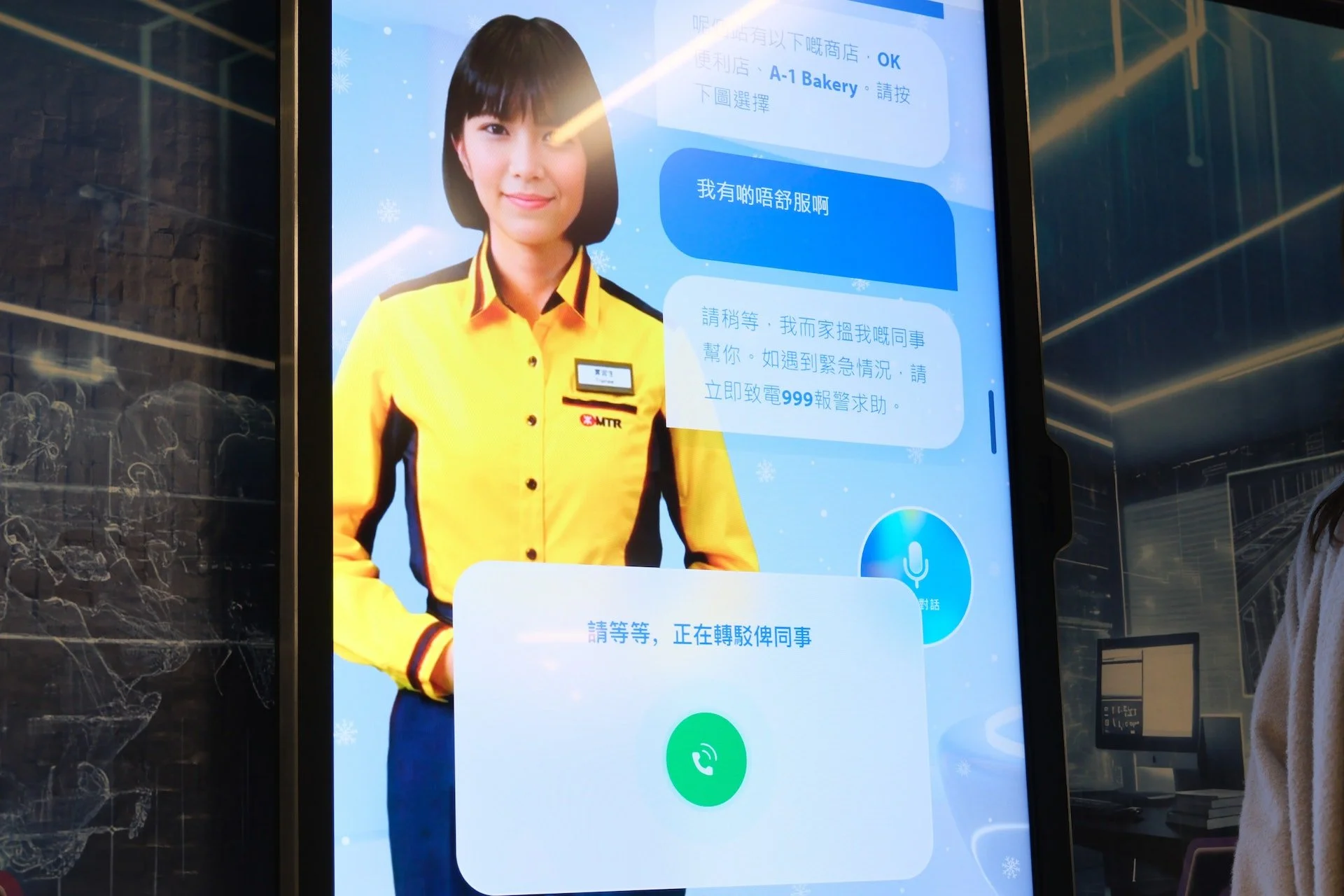
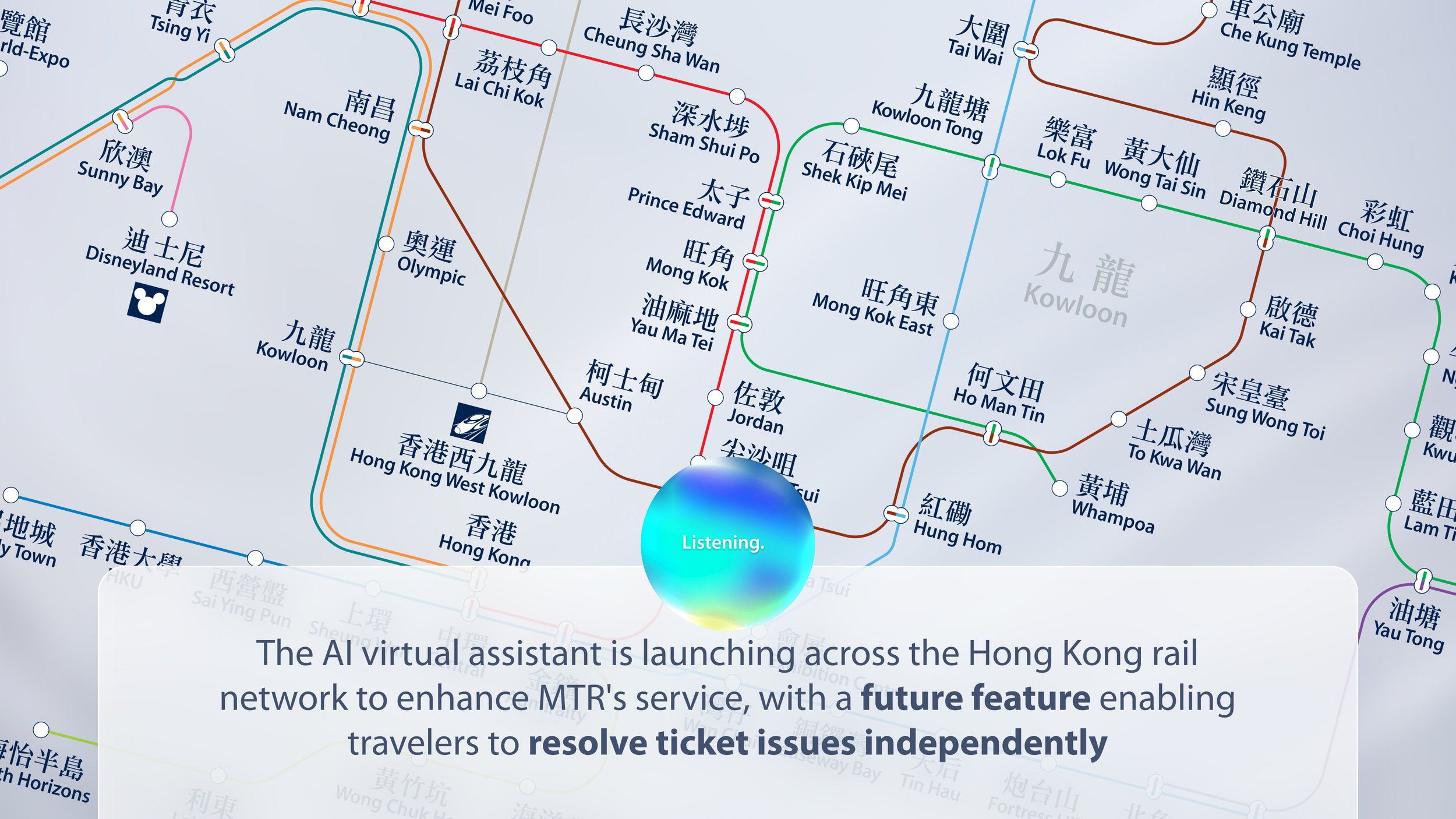
Tracy is a AI self-service ambassador that addresses common MTR station needs in under 3mins, offering smart travel suggestions for locals and visitors. It combines real-time service data with multilingual interaction, enabling passengers to complete tasks independently or hand off to staff for complex cases.
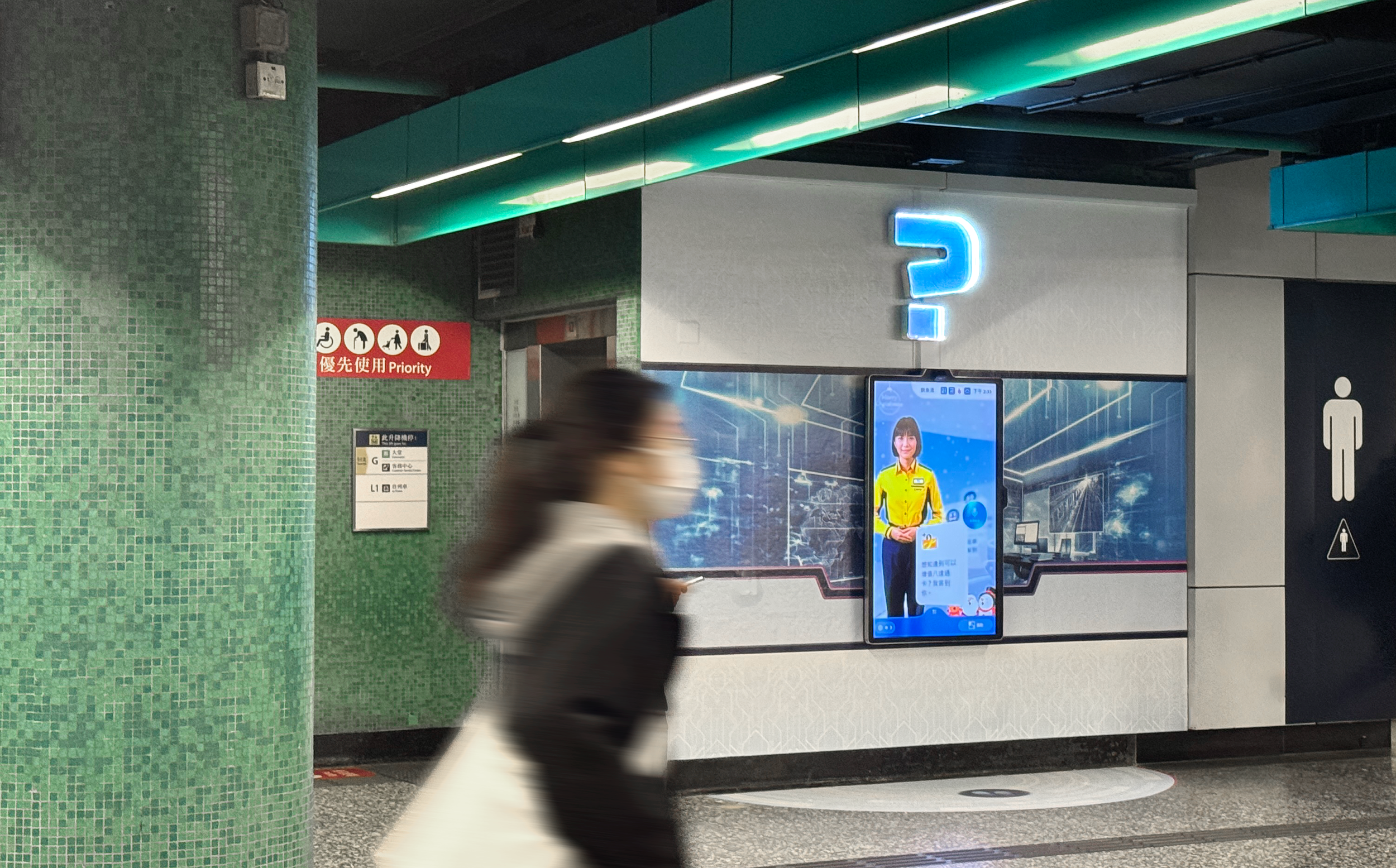
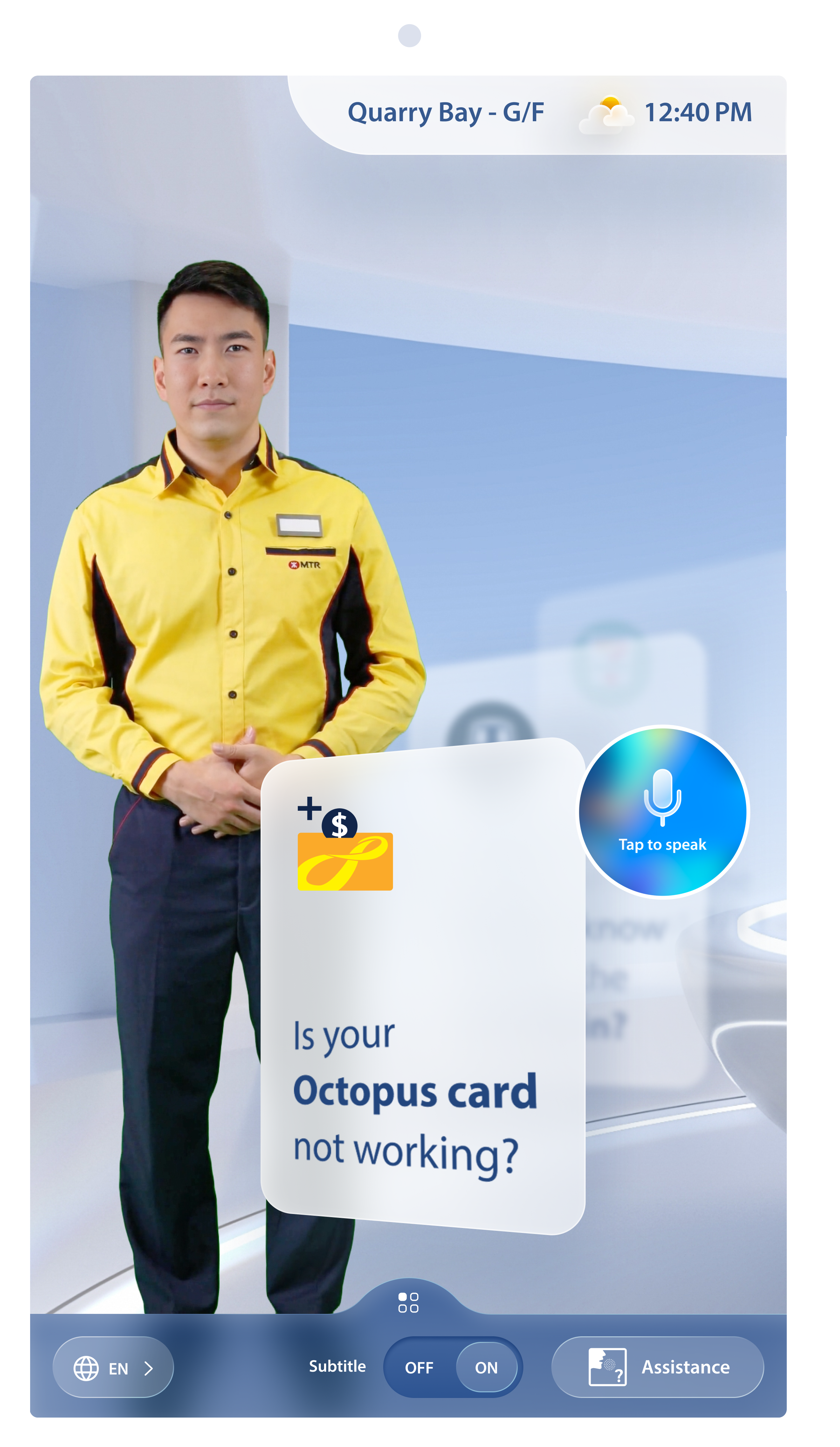
Idle state for long distance engagement
•Increase location & time size to increase usefulness to wider audience.
•Show immersive weather which creates a far richer visual experience while providing utility.
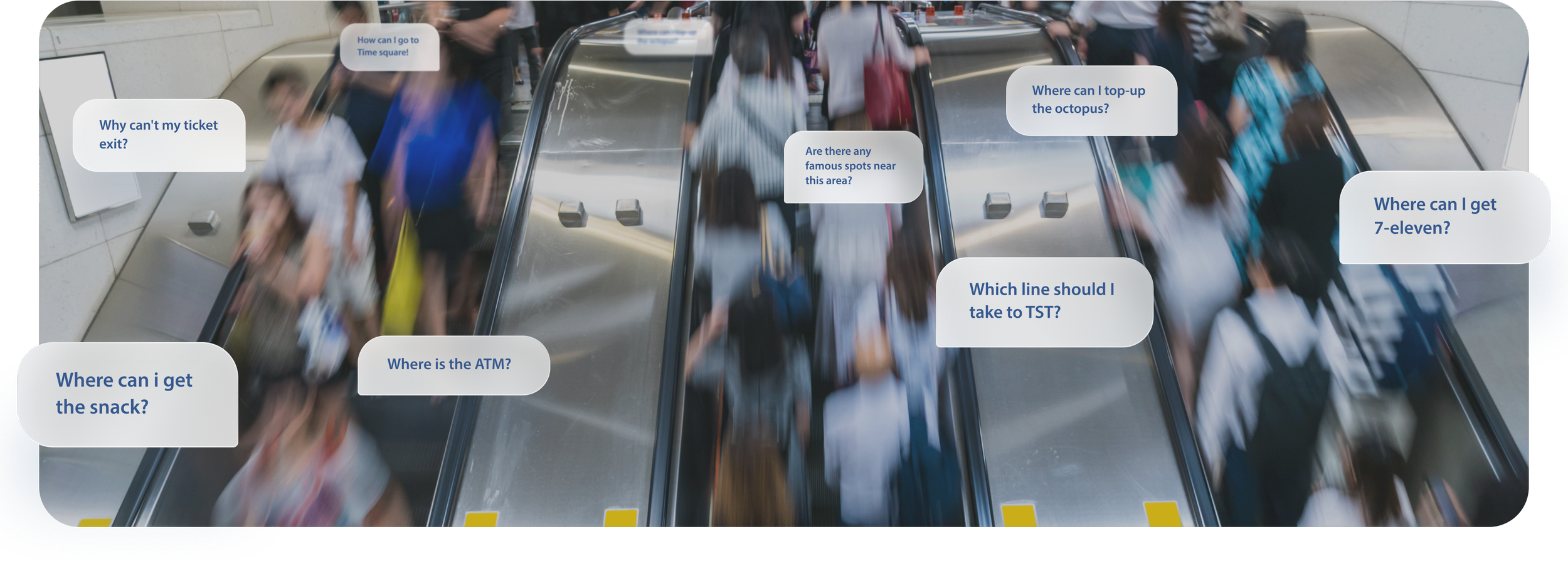
•Show question prompts to indicate intend and purpose of the display at close and long distance.
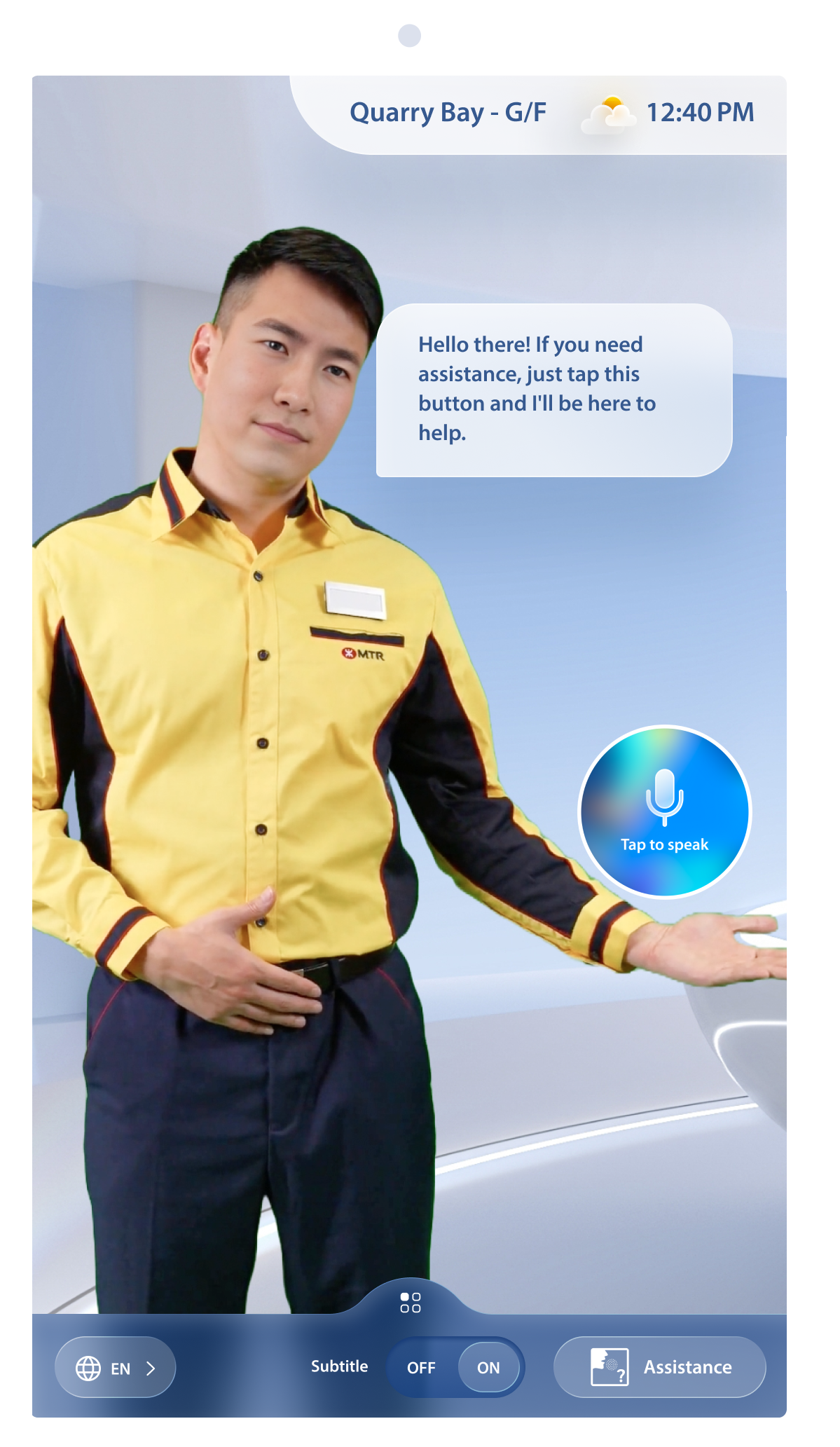
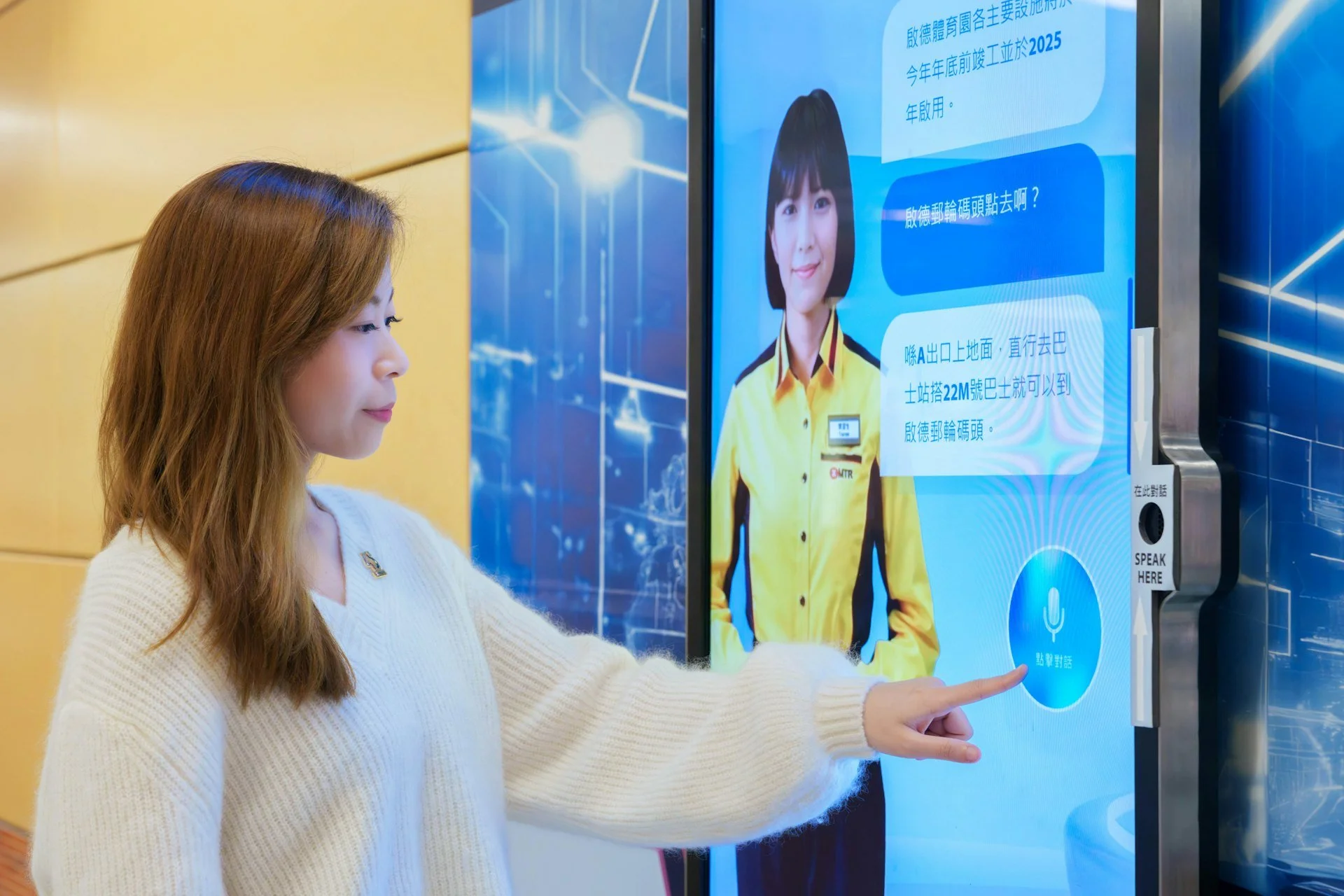
Idle state for close distance engagement
•Let the assistant step forward to assume active listening & support body language.
•Move prompt out of the screen as closing distance allows for direct voice interaction & key UI display.
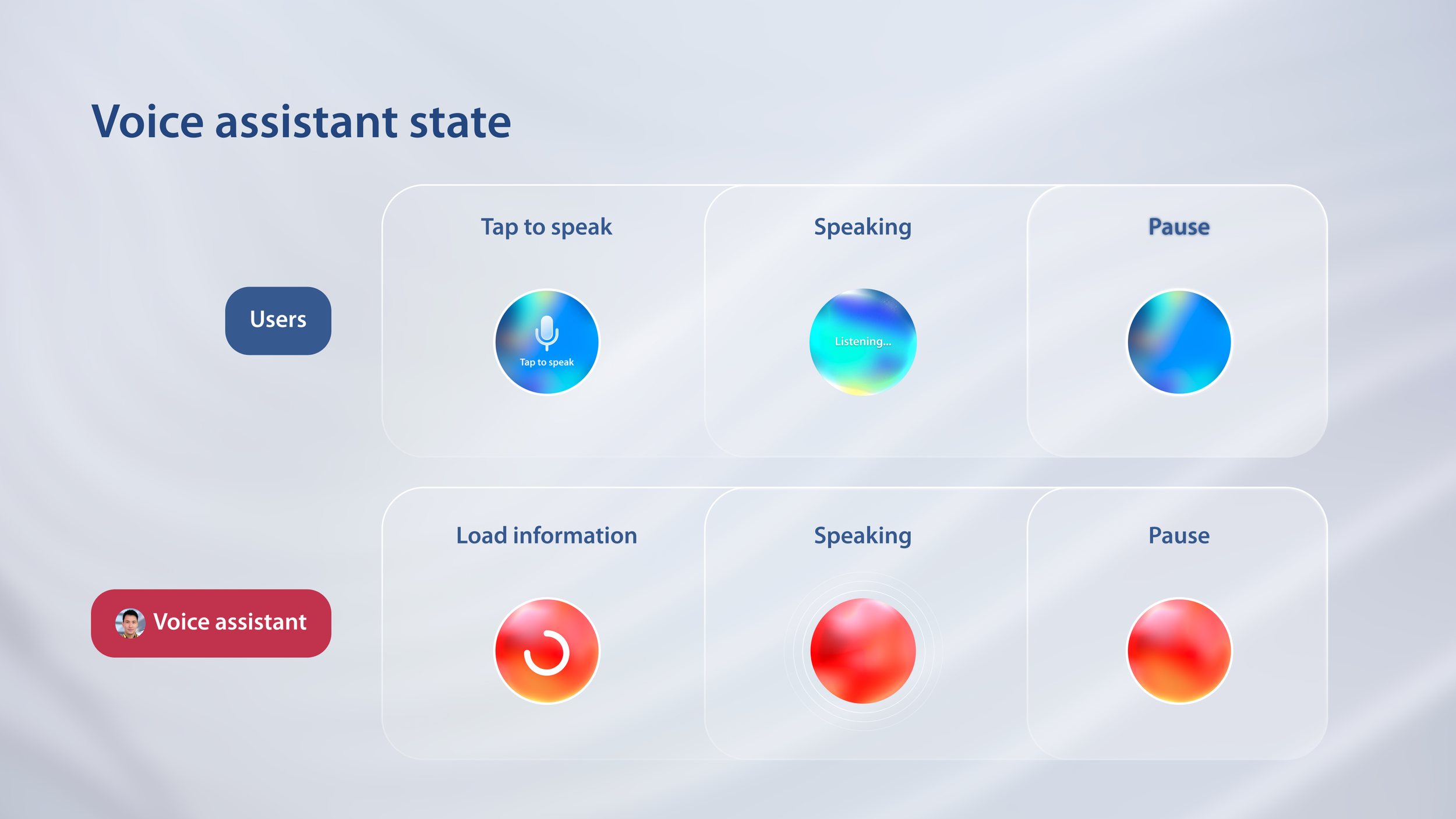
•Merge AI assistant and UI, let there be a dynamic, so they become whole. Assistant is aware of interface and assist on how to use. This can eliminate the awkward pause in-between avatar and UI.
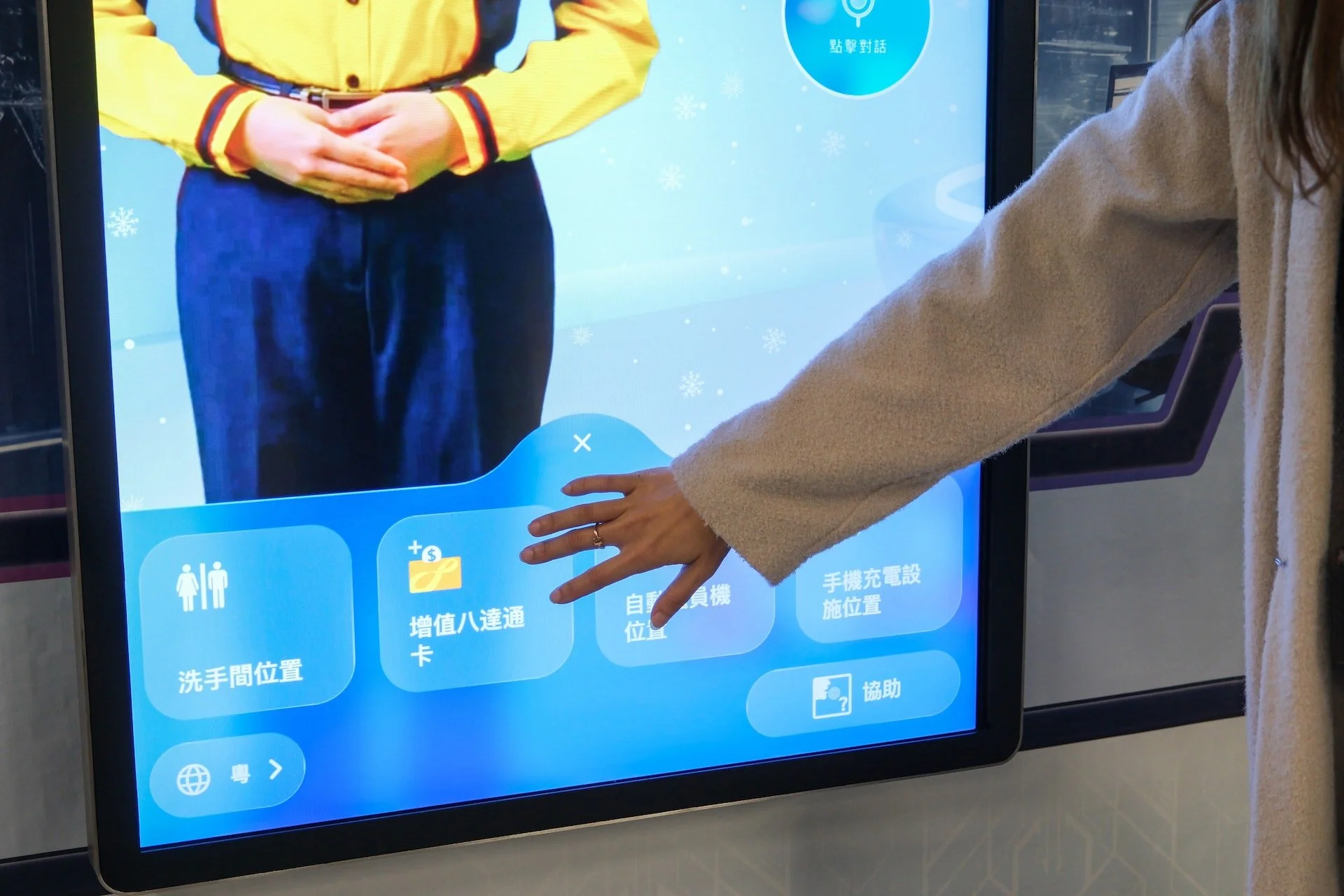
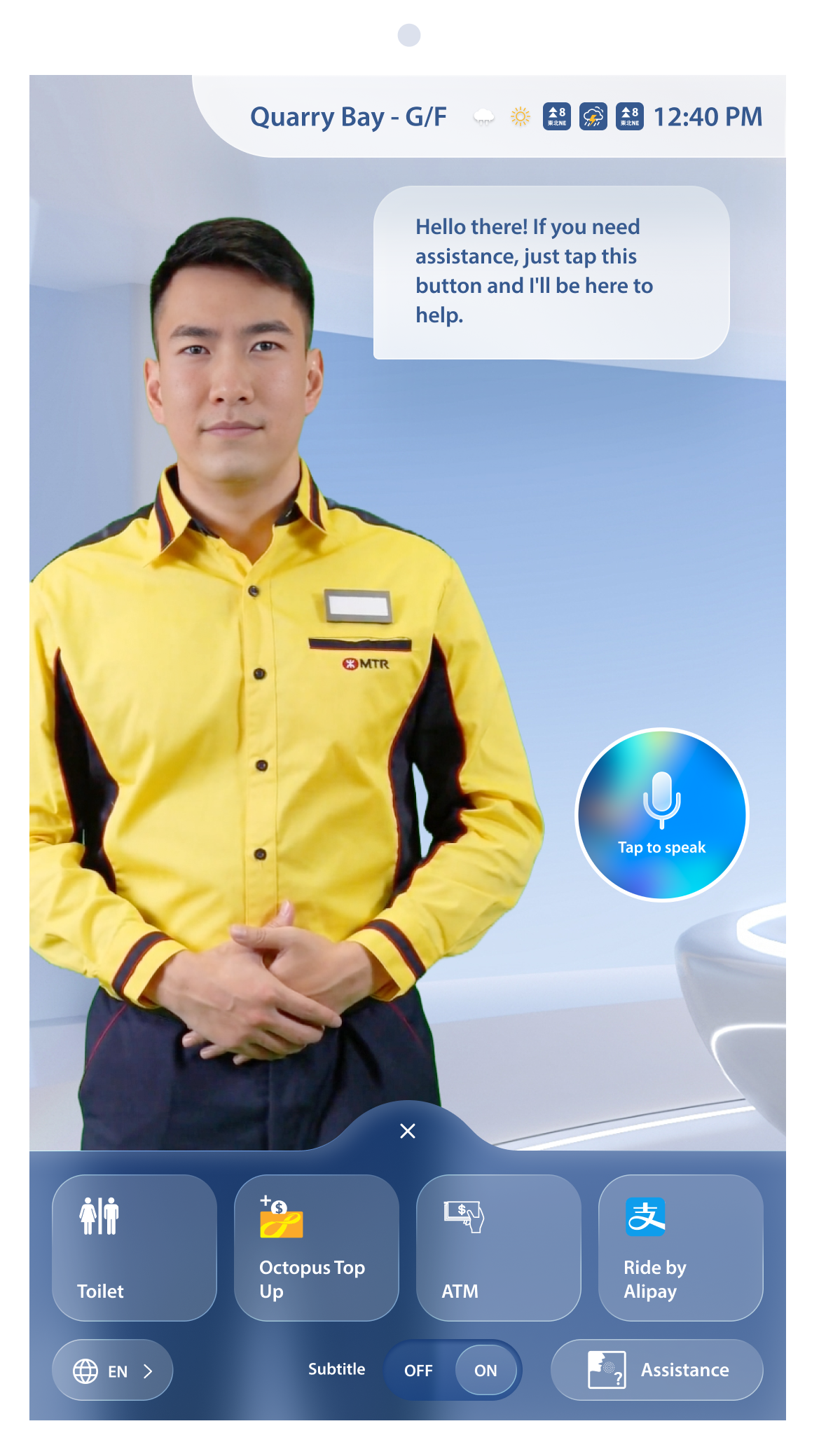
UI presentation by virtual travel assistant
Instead of treating the virtual travel assistant and UI as separate elements, we combine them as one immersive experience.
Virtual travel assistant can interact with the UI, for example, through hand movements to make the UI appear.
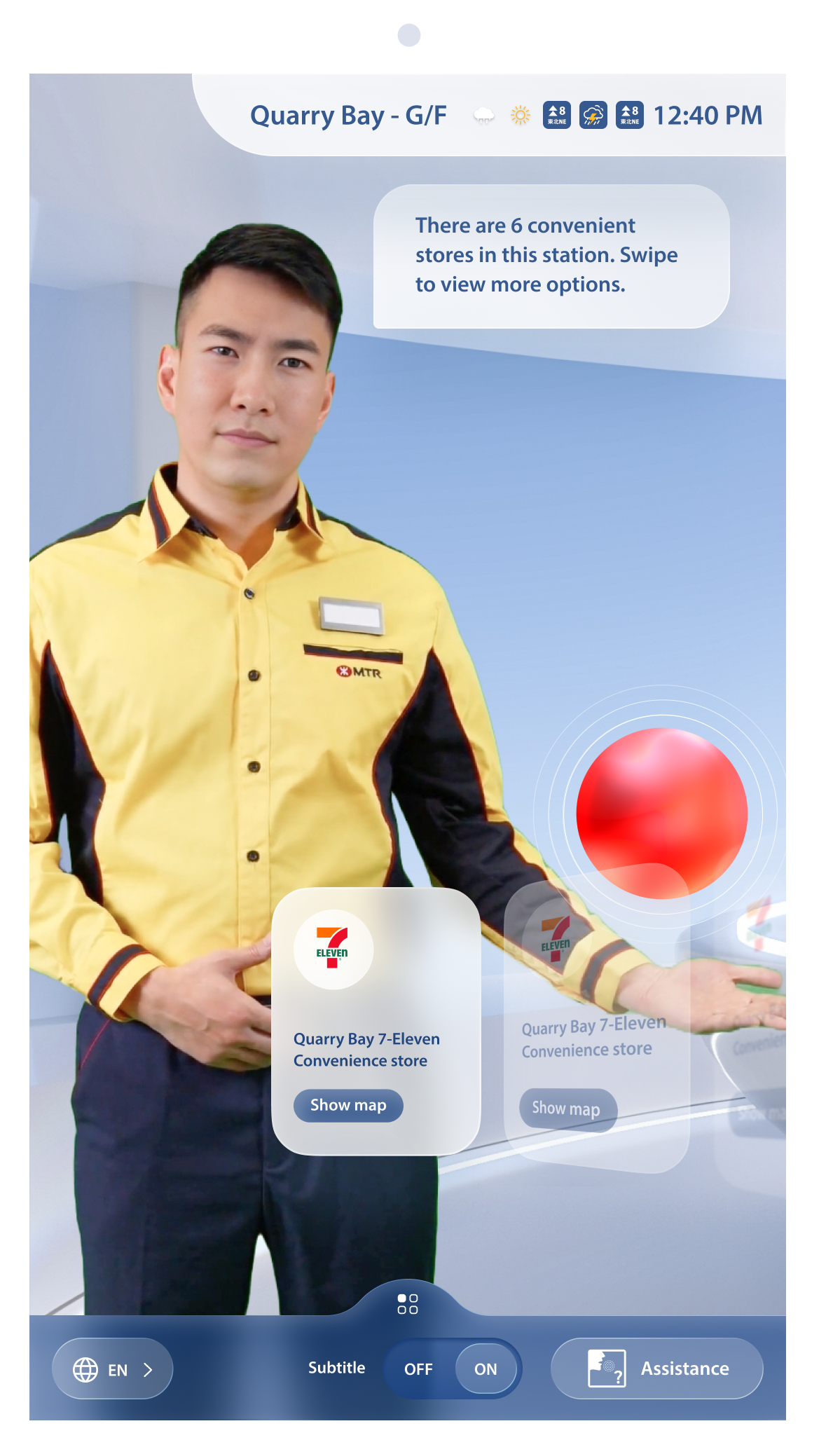
immerse in the experience with futuristic UI design
Glassmorphism provides a modern and futuristic look and feel, the transparent and blurred effect adds depth, dimension and sense of elegance to the design, visually less blocky and away from traditional.
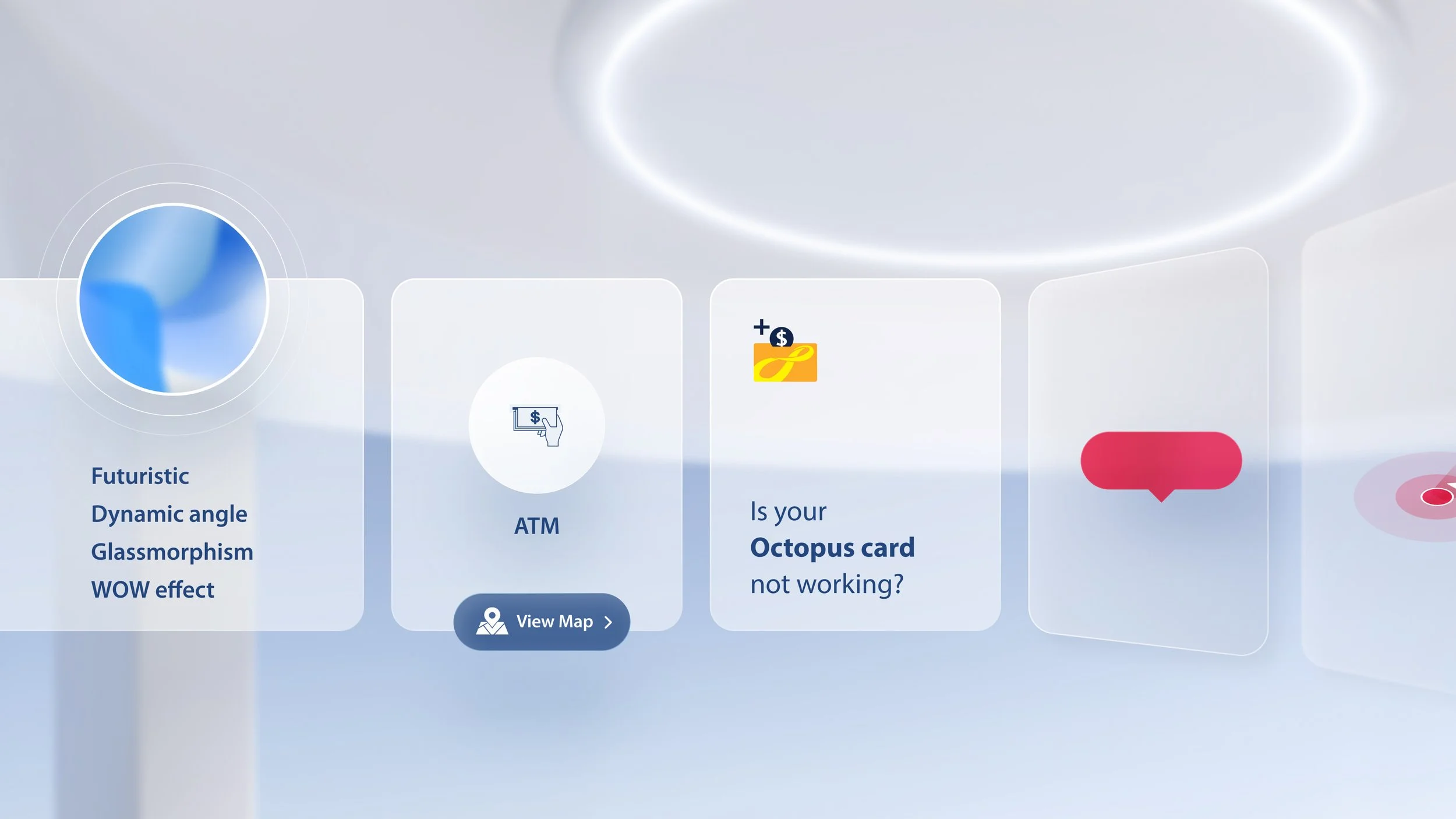
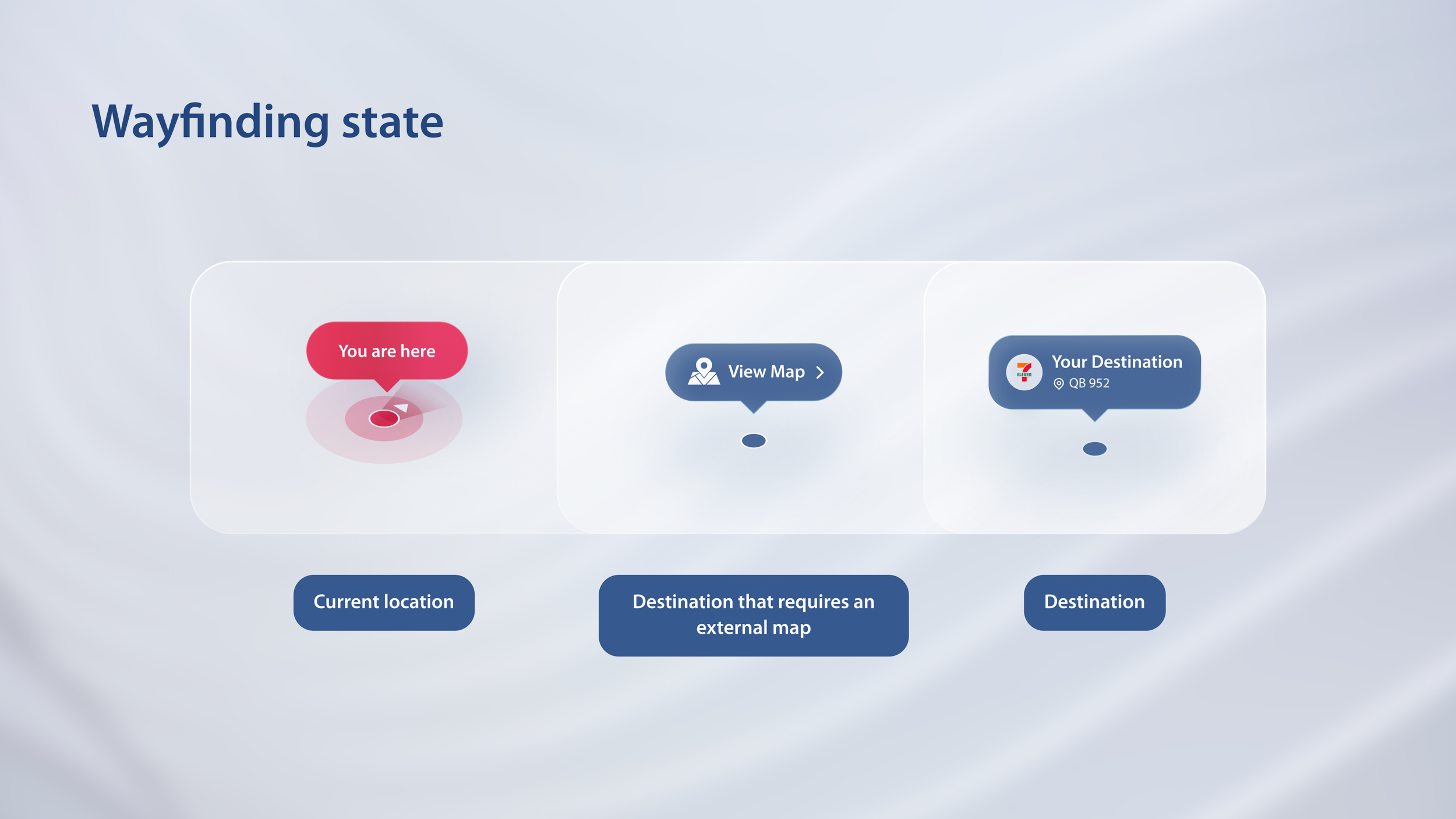
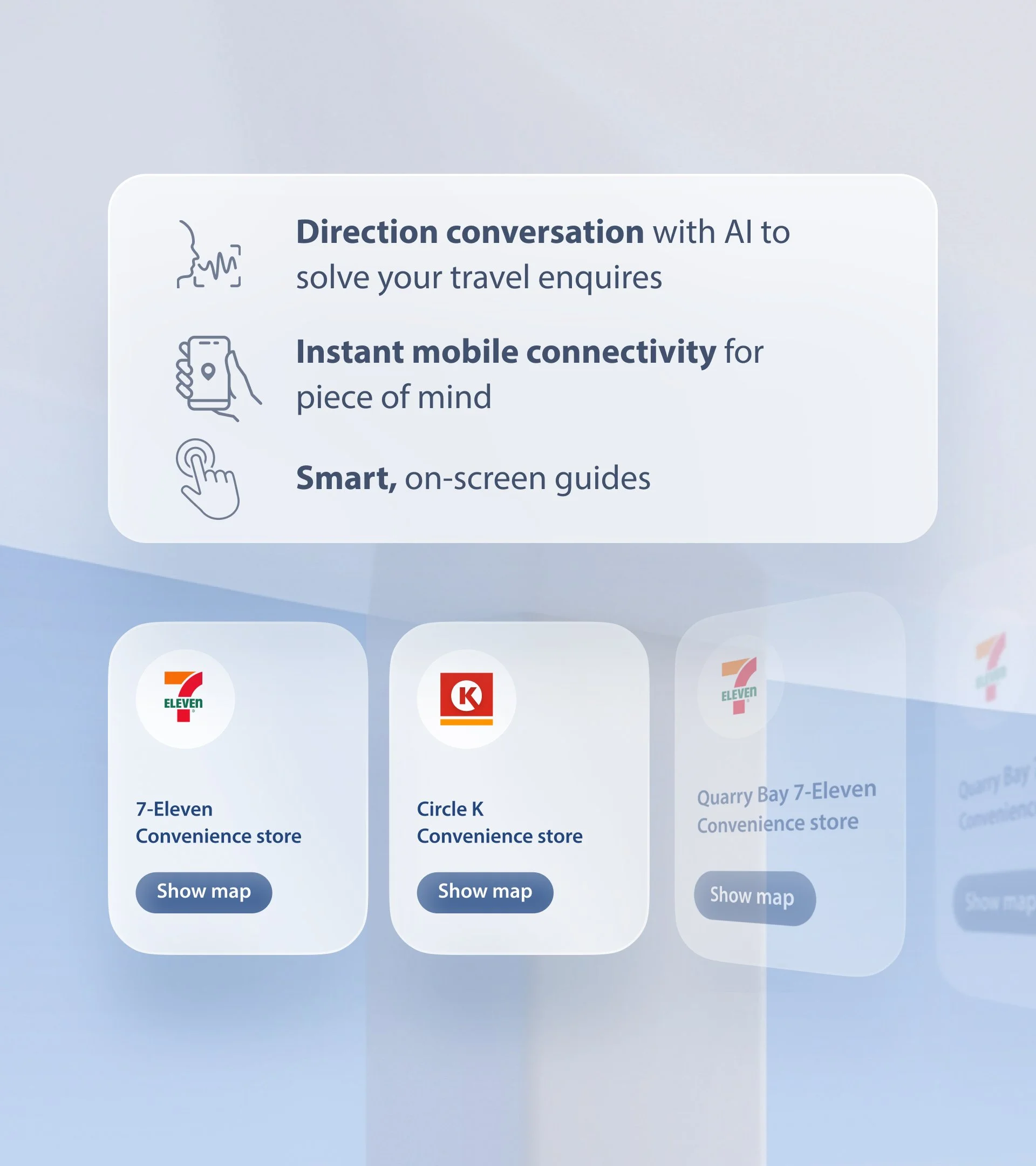
established existing UI to be able to display an variety of content in a scalable manner
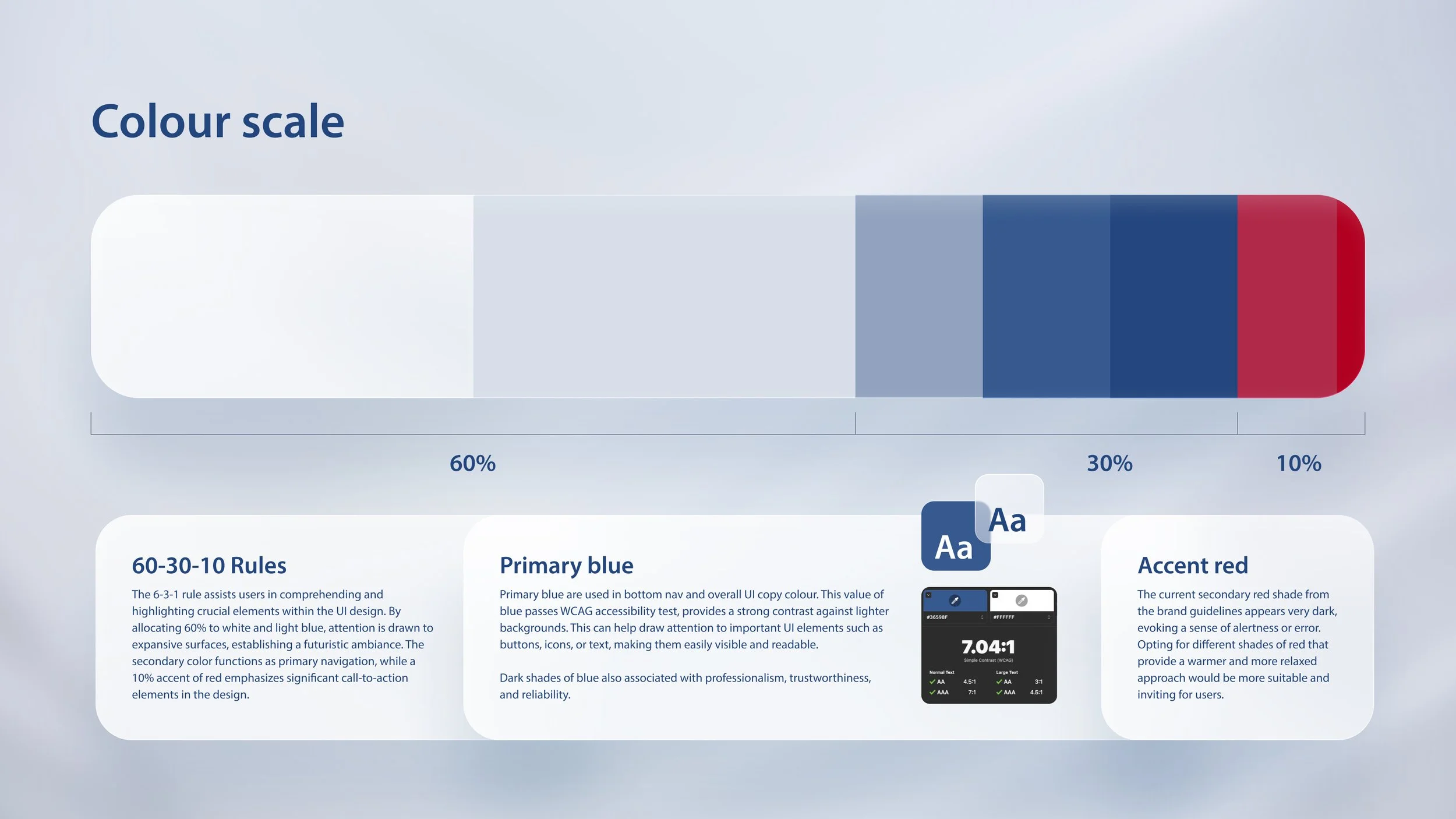
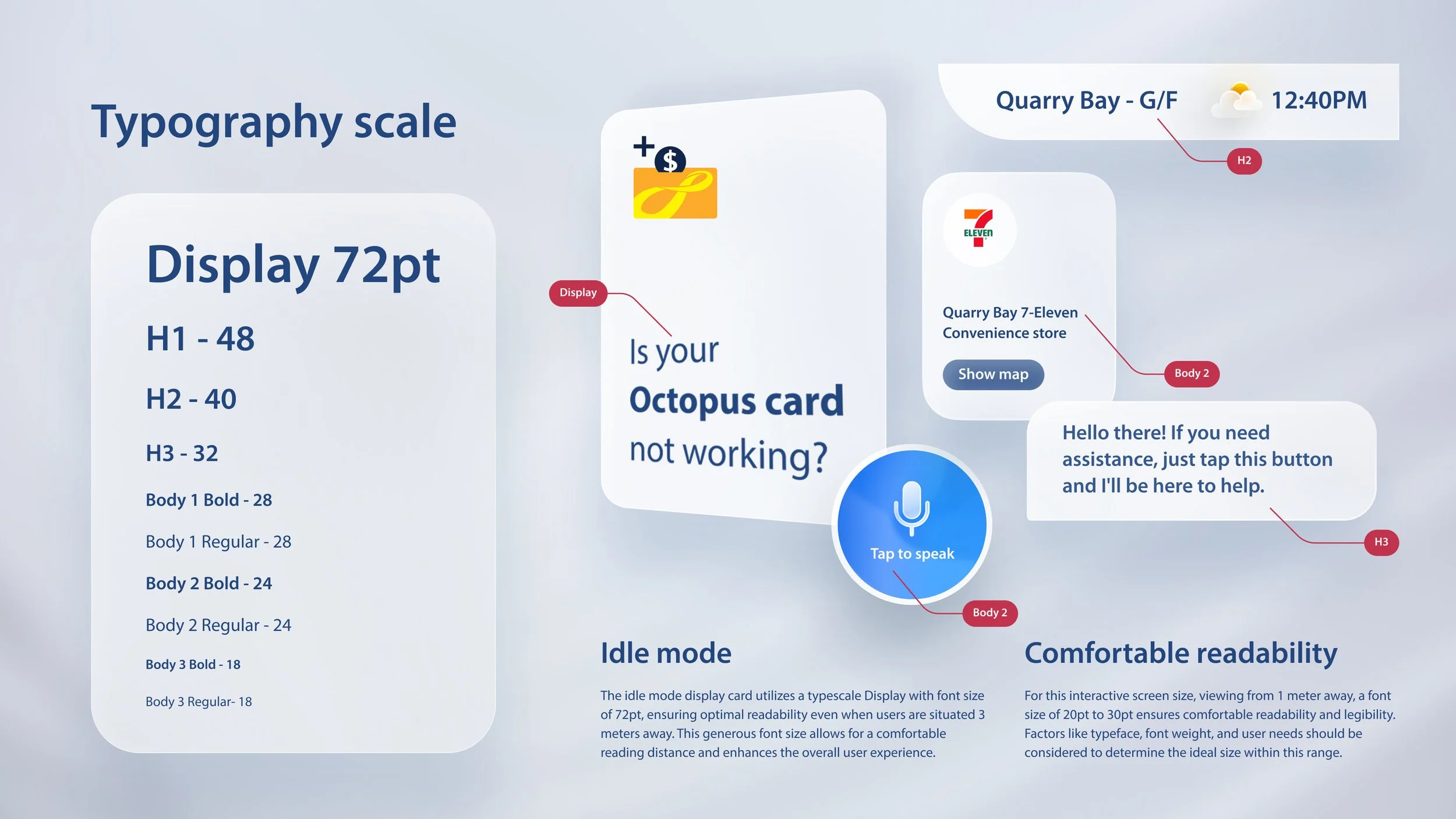
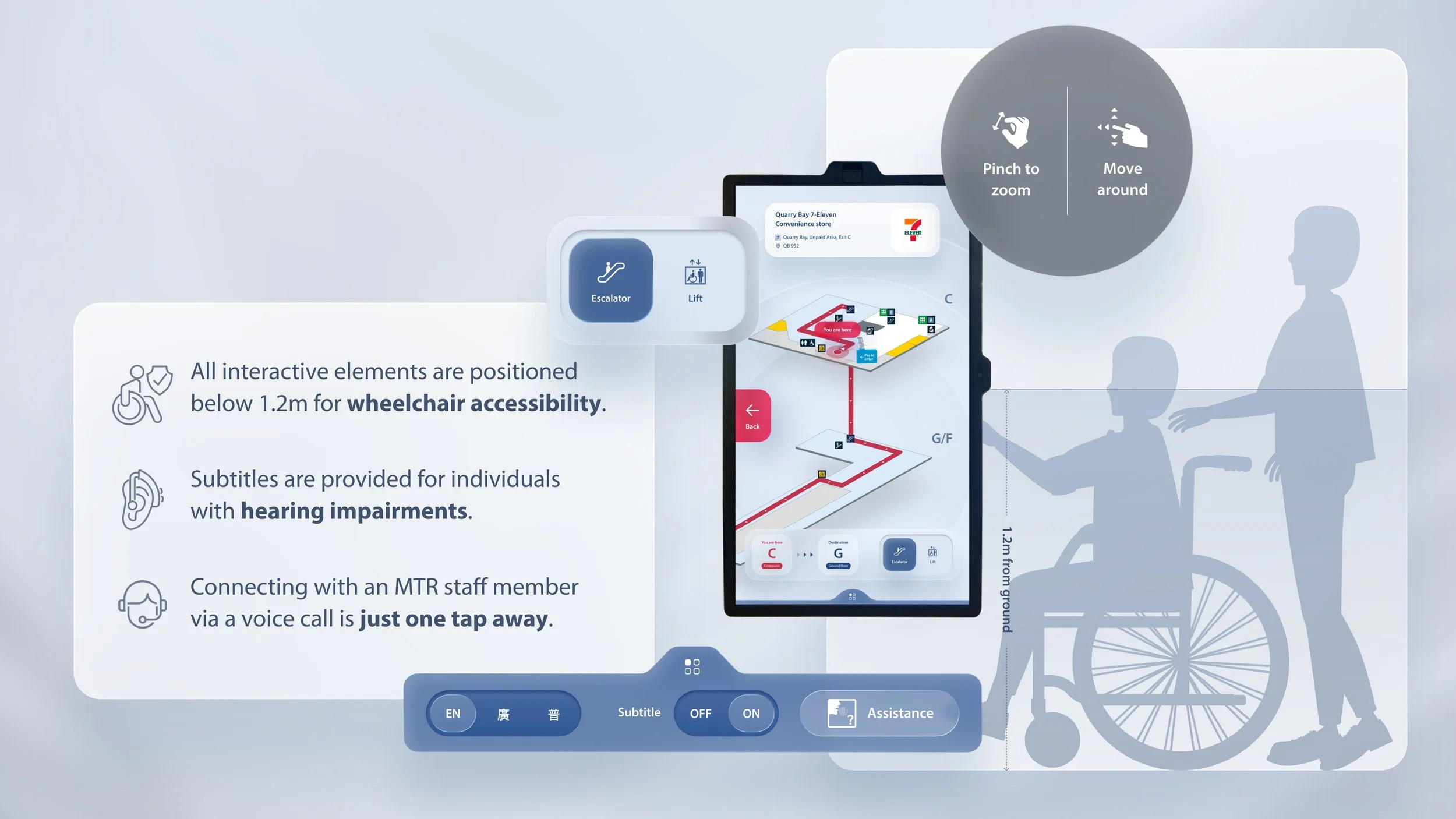
designed for anyone to use, AI makes travel quicker and easier than ever
just talk and your travel needs will be solved naturally
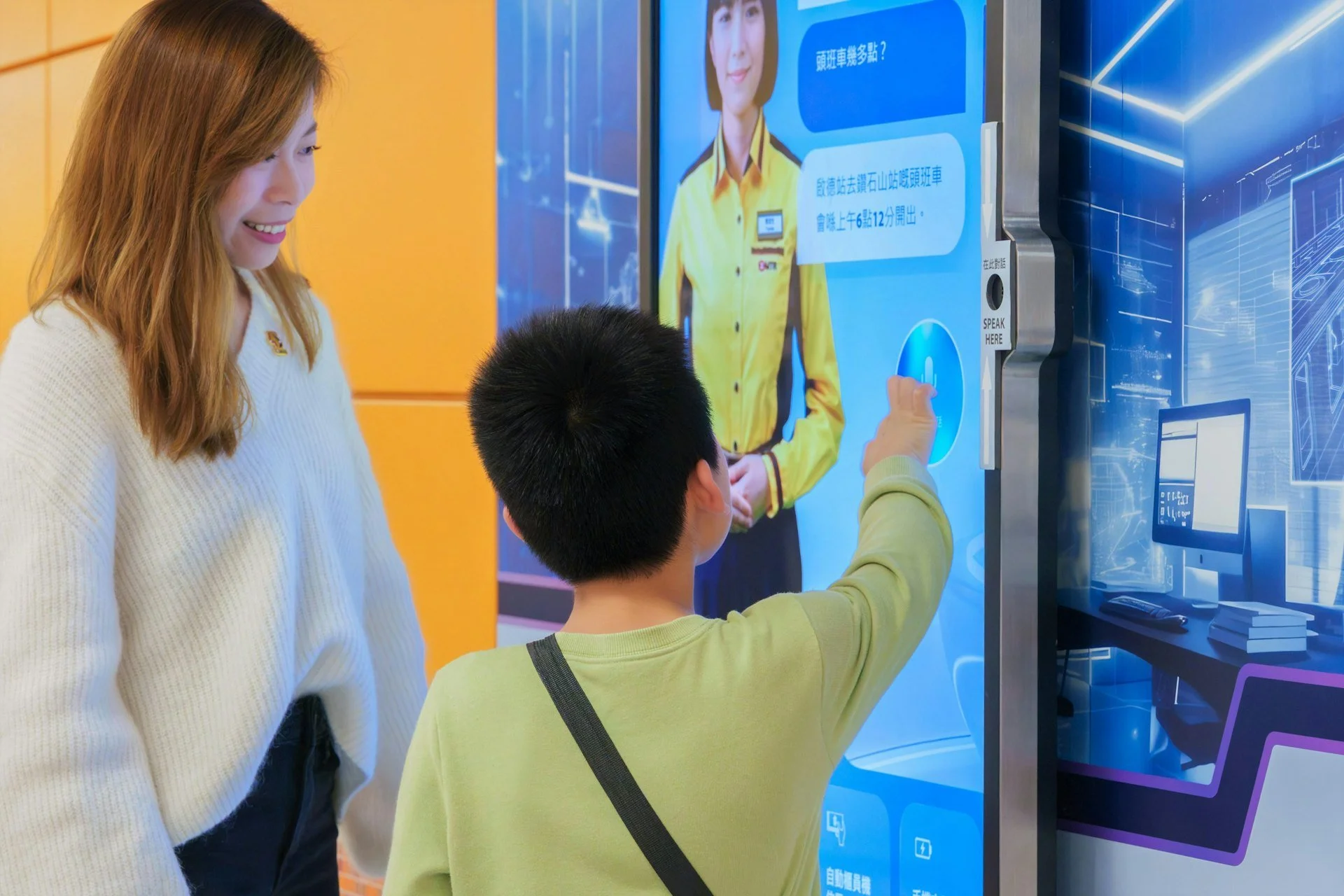
AI ensures that virtual assistant is always learning and improving.